Inventory Genius
    Features

    Everything you need to stop running out.

    Forecasting, purchasing, multi-location replenishment and stock control — all inside Shopify Admin, plus tools for the team on the warehouse floor and behind the counter. And it gets better every week.

    Forecasting

    Forecasts that learn your store, not a textbook.

    Inventory Genius forecasts every active product at every location from your real Shopify sales. Before a single number is projected, demand is cleaned of stock-out gaps and promotional spikes, so you plan on what customers actually wanted, not on what happened to be on the shelf. Newer stores get an AI-assisted start, so a useful forecast doesn't mean waiting six months.

    Location-level forecasts — every active variant, at every location, from multiple statistical methods.
    True demand, not just sales — stock-out days and promo spikes are recognised and cleaned out of the baseline.
    Seasonality for every productNew — each item is classed as highly seasonal, seasonal, non-seasonal or new in season. Override by product, category, vendor or Shopify tag.
    Seasonal ReplayEarly access — forecasts seasonal lines from the same weeks last year, with last-year overlays, confidence tiers, a season tracker and a plain-English "why this forecast" panel.
    Forecast overrides, per location — boost a vendor by 20% everywhere, or nudge one product at one store. Import overrides by CSV.
    AI-assisted bootstrap — for stores without years of sales history.
    inventory-genius.com
    Purchasing

    From "what should I order?" to "PO sent" in one click.

    Every active SKU is ranked by reorder urgency. Each suggestion already accounts for your supplier's lead time and order days, MOQs and pack sizes, safety stock, and stock already inbound — and shows its working. Filter the list the way you filter the Shopify admin, approve, and the purchase order is built, emailed and tracked through to receipt.

    Filter like the Shopify adminNew — search by SKU, title or barcode; filter by brand, product type, tag and ABC class; save and share views by link.
    Reorder by brandNew — group a multi-brand supplier's order by brand and review each on its own.
    You're in the driving seat — forecast-driven or simple Min/Max suggestions, with an explanation behind every line.
    Planning parameters grid — min/max, service level, lead time, shelf display quantity and coverage days for every product and location — with CSV export and import.
    Purchase orders end to end — create from suggestions or a CSV, email suppliers, and move POs across a drag-and-drop board.
    Receiving your way — scan-first on mobile, a keyboard-friendly desktop table, or one-click "Receive all" for trusted suppliers.
    Cost & margin tracking — weighted-average cost, costs synced live from Shopify, and late-invoice amendments that flow into COGS.
    Quiet the noise — hide suggestions for dormant items, and dismiss in bulk.
    inventory-genius.com
    Supplier documents · AI

    Receive from the invoice, not the keyboard.

    Upload a supplier invoice or packing slip and Inventory Genius reads it for you. Each line is matched to your open purchase orders — even when one delivery covers several POs — and shortages, substitutions and price changes are flagged before anything touches your stock.

    Line-by-line AI matchingNew — across every open PO from that supplier.
    Backorders tracked — short-shipped lines stay open instead of silently disappearing.
    Price changes caught — with a drafted dispute email ready to send.
    Unknown lines handled — link to an existing product, or create a draft product without leaving the flow.
    TAX INVOICE
    Alpine Supply Co · #88213
    Total$1,284.60
    Receive from supplier document
    Read 4 lines · matched across 2 open POs
    Merino Crew M ×24Matched
    PO-1042
    Merino Crew L ×18Short
    PO-1042 · 12 of 18 · 6 backordered
    Camp Mug Olive ×40Price change
    PO-1047 · $6.20 → $6.85
    Wool Beanie Rust ×12Unmatched
    New product?
    Receive 3 linesDraft dispute email
    Multi-location

    From your warehouse to every store — on one screen.

    Inventory Genius treats each location as a first-class citizen. Rate of sale, forecasts, reorder points and receiving all run per location — never as a global average that hides the truth. Run a distribution centre that buys for the stores it supplies, then let the replenishment planner split what's on hand across every store.

    Replenishment planner — allocate warehouse stock across the stores it feeds — by product or by store — and create the transfers in one step.
    Warehouses buy for their stores — supplier orders roll up store demand, with pack-size rounding and a weekly cadence.
    Transfers, your way — transfer suggestions, CSV import, scan-to-pick and receive on mobile, and a single transfers board.
    Returns to a 3PL or DC — pick and dispatch from a store with a downloadable manifest.
    Every kind of location — 3PL- or WMS-managed stock, backup-stock-only warehouses, dropship-only and order-on-demand items.
    Two-way Shopify transfer syncNew — every transfer mirrored into Shopify's native Inventory Transfers — see below.
    Replenishment planner · Merino Crew — M
    Distribution centre
    50 available to allocate · PO for 60 inbound
    Weekly cadence
    Queen St+18
    Ponsonby+10
    Online+22
    Create 3 transfers in one step
    Shopify transfers sync

    One transfer. Both places. Always in step.

    Inventory Genius syncs two ways with Shopify's native Inventory Transfers. A transfer planned in the app appears in Shopify's Transfers screen the moment it's drafted; a transfer your team starts in the Shopify admin appears in the app. Edit, ship, receive or cancel in either place and the other follows — and because Shopify moves the stock, it only ever moves once.

    Mirrored from the draft stageNew — transfers show up in Shopify as soon as they're created, not just when they ship.
    Created in Shopify? It's in the app tooNew — drafts, ready-to-ship and in-progress transfers are pulled in automatically.
    Edits flow both ways — add, remove or change lines in either place before dispatch and both converge.
    Receive anywhere — receive in Shopify or the app — split shipments and lines added in transit included.
    No double counting — stock moves once, in Shopify, so your levels never drift.
    Included on every plan — for any two or more locations where Shopify tracks inventory.
    Inventory Genius
    TR-1042In transit
    Warehouse → Queen St
    Merino Crew — M12
    Merino Crew — L8
    Camp Mug — Olive20
    →←
    Shopify · Transfers
    TR-1042In transit
    Same transfer, same quantities
    Merino Crew — M12
    Merino Crew — L8
    Camp Mug — Olive20
    AppDrafted in Inventory Genius Draft created in Shopify
    ShopifyLine added in Shopify admin Updated in the app
    AppPicked & dispatched Shipment in transit
    ShopifyReceived at the store Receipt posted in the app
    Stock takes

    Counts your team can actually finish.

    Run full or cycle counts on a phone, at a desk with a USB scanner, or right on the Shopify POS. Scope a count to exactly what you want to check, split it into zones, and review every variance before a single adjustment is posted back to Shopify.

    Scope it precisely — by supplier, brand, tag, product type, ABC class or individual products — with zones and blind counts.
    Count anywhereNew — phone camera, desktop with a USB or Bluetooth scanner, or the POS tile.
    Mistake-proof — green for a match, red for short or over, undo, and a warning before finishing with gaps.
    Undo a mistakeNew — rename, archive or reopen a take — or reverse a finalised one to undo exactly what it changed.
    Ready in about a second — even on large catalogues.
    Stock take · Back room · Footwear & apparel
    Spring cycle count
    Scoped by brand · 2 zones · blind count
    Scanner ready
    4 of 5 lines counted
    Trail Runner — 9
    TR-09
    14 Match
    Trail Runner — 10
    TR-10
    92 short
    Merino Crew — M
    MC-M
    22 Match
    Merino Crew — L
    MC-L
    102 over
    Camp Mug — Olive
    CM-OL
    —to count
    Review variances → Finalise
    Posts adjustments to Shopify · reversible
    Suppliers

    A supplier list you can trust.

    Bring your suppliers across in minutes and keep them tidy. Import from a spreadsheet in any layout or straight from Stocky, link products automatically, and keep costs, MOQs and lead times up to date from a single grid.

    Switching from Stocky? — bring suppliers, supplier products and received PO history across.
    Import from CSV or Excel — map any column layout on upload.
    Auto-link by vendor or tagNew — assign a supplier to hundreds of products in one step.
    Merge duplicatesNew — combine supplier records and keep their products and history.
    Spreadsheet-style editingNew — change cost, MOQ, pack size and lead time inline, or adjust many rows at once.
    Performance history — lead times and delivery performance per supplier.
    Suppliers · Alpine Supply Co · Products
    Linked by vendor · 148 productsCost +4% to 2 rows
    Product
    Cost
    MOQ
    Pack
    Lead (d)
    Merino Crew — M
    MC-M
    $18.40
    12
    6
    21
    Merino Crew — L
    MC-L
    $18.40
    12
    6
    21
    Wool Beanie — Rust
    WB-RU
    $9.85
    24
    12
    28
    Camp Mug — Olive
    CM-OL
    $6.85
    40
    20
    14
    2 unsaved changesSave all
    Platform

    No second login. No broken syncs.

    Inventory Genius is a fully embedded Shopify app. Inventory, products, costs, orders, fulfilments and locations come straight from Shopify — webhook-driven, not poll-driven — so sales and stock changes reach your reorder screen in minutes. When you change your Shopify plan, our pricing tier adjusts automatically with a 14-day grace period.

    Embedded in Shopify Admin — runs inside the Shopify admin you already use.
    Real-time sync — inventory, orders, costs, fulfilments and new locations update as they happen.
    Your currency — prices and costs shown in your store's own currency.
    Plan-aware pricing — auto-matches your Shopify tier with a 14-day grace period.
    Improves every week — every store gets every update automatically — see the changelog.
    inventory-genius.com
    Point of Sale

    Run the shop floor from your Shopify POS.

    Inventory Genius adds a Point of Sale extension right inside Shopify POS, so the team at the counter gets the numbers and tools they need without leaving the till — sales at a glance, transfers, stock counts, and receiving, all scan-first. It runs on any Shopify plan, with no POS Pro upgrade required, and every count and sale stays in sync with the same data your desktop forecasts and purchase orders run on.

    Sales Snapshot
    Today's sales, top sellers, and how the day is tracking against the last few periods — on the POS, so staff can read the room between customers.
    Transfers in and out
    Scan-to-receive inbound transfers from the warehouse, and scan-to-pick outbound ones before dispatch.
    Stock counts on the floor
    Count by scanning — green for a match, red for short or over — with undo and a warning before you finish with gaps.
    Receive at the store
    Scan a supplier delivery in against its purchase order on the shop floor, as the boxes land.
    Inside Shopify POS
    on the same devices your team already sells on
    No POS Pro required
    runs on any Shopify plan
    One source of truth
    sales, counts and stock stay in sync with the admin app
    Mobile

    A mobile app built for the warehouse floor.

    Receiving, picking, and transfers don't happen at a desk — they happen at the loading dock with a box in one hand. So Inventory Genius ships a mobile-friendly app stripped down to the jobs your team actually does on their feet, barcode-scan-first, and synced to the same data as the desktop app. Counts and stock takes work the same way.

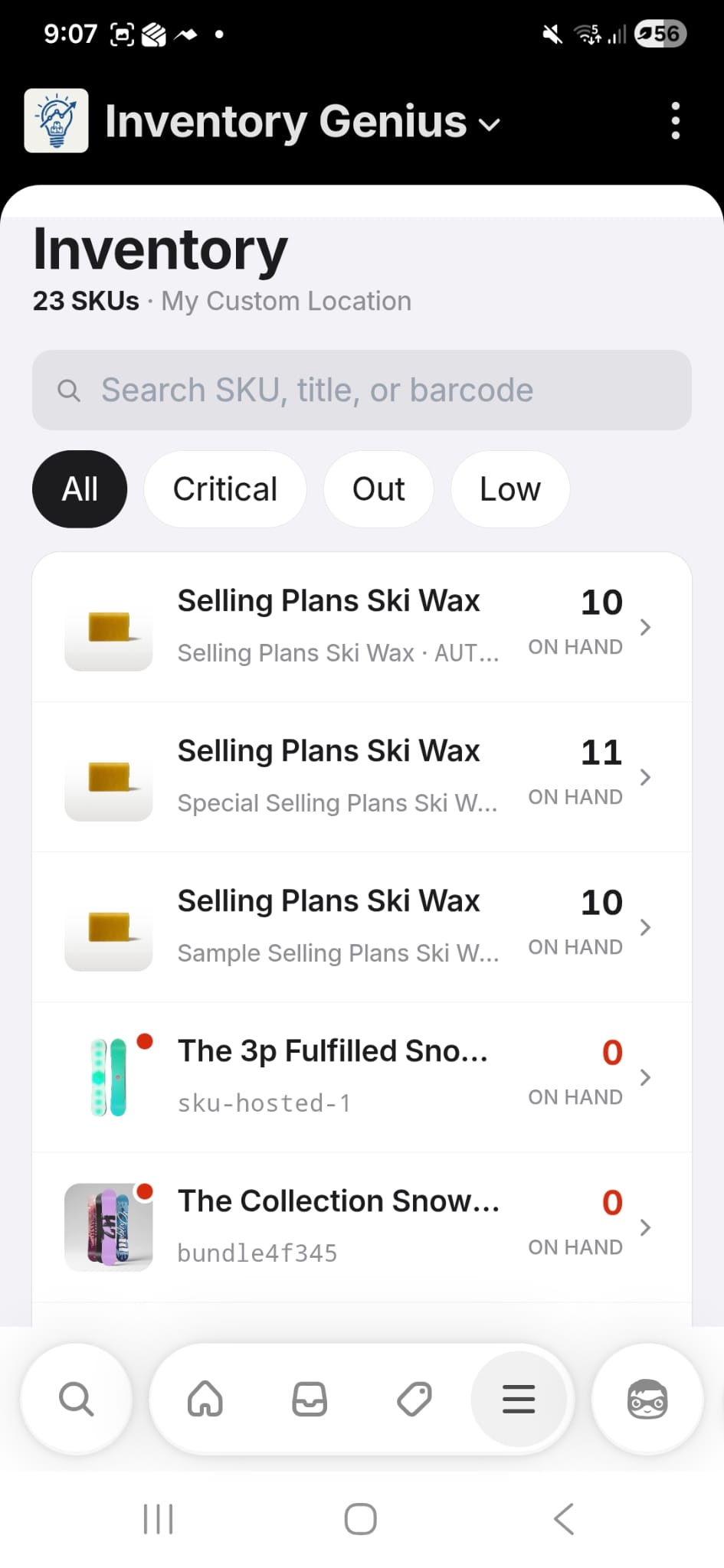
    Today's jobs, ready to scan
    Search by SKU or barcode
    Live stock by location
    Receive a PO
    Scan a vendor delivery in against the purchase order, unit by unit, with mismatches flagged on the spot.
    Pick a transfer
    Pull stock for an outbound transfer order and scan each item to confirm the quantities leaving.
    Receive a transfer
    Confirm an inbound transfer as it lands and post the stock straight back to Shopify.
    Make a transfer
    Start a brand-new outbound transfer between locations without walking back to a desk.
    Browse inventory
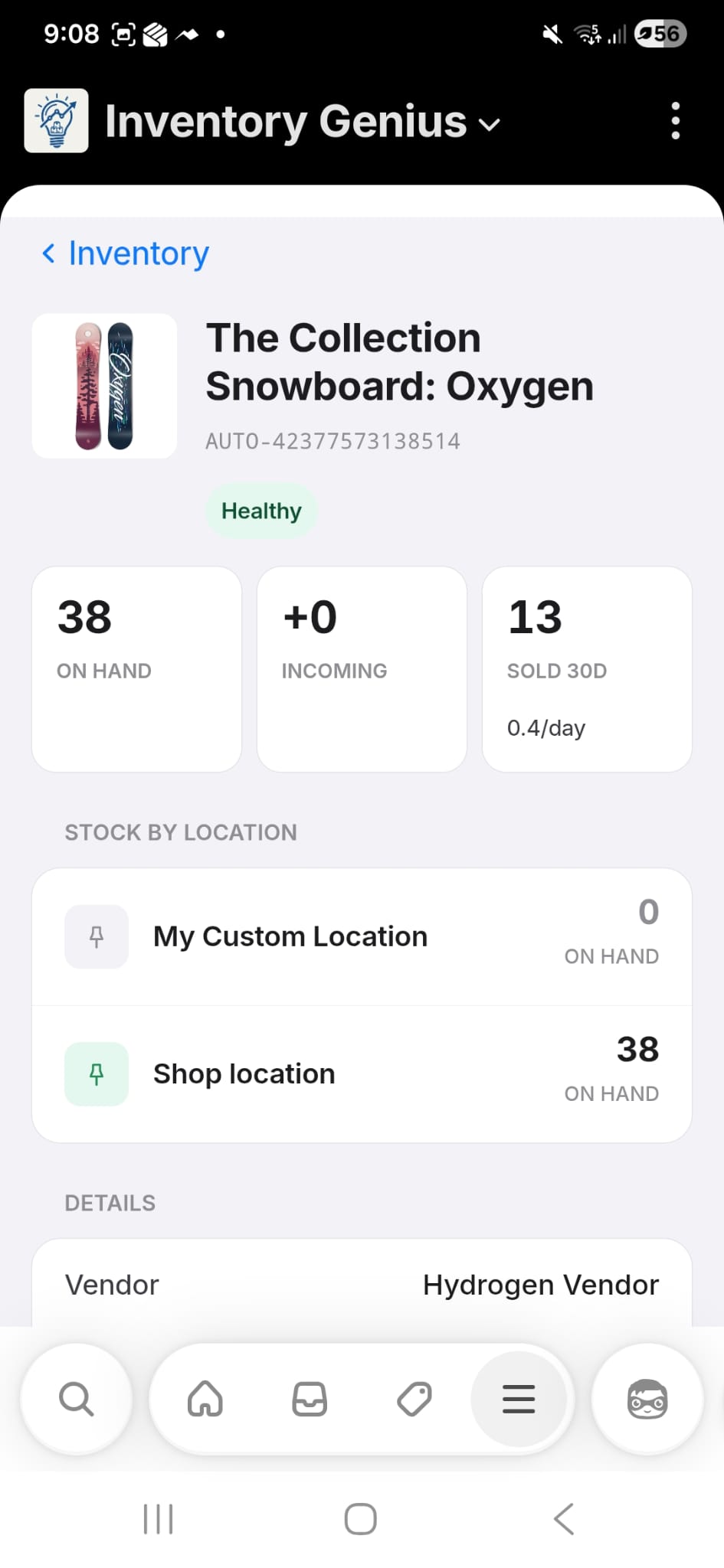
    Search any SKU, title, or barcode for live on-hand, incoming, and stock by location.
    Run a stock take
    Count stock on your phone — full or cycle counts, line by line — then review and post the variances back to Shopify.
    Barcode-scan-first
    use the camera or a paired ring/sled scanner
    Phone or tablet
    no install — runs in the browser, embedded in Shopify
    Floor-ready
    big tap targets and clear progress for fast-moving work

    Install Inventory Genius.

    Connect to Shopify and see your first reorder suggestions before lunch.

    Install on ShopifyFree to install · billed via Shopify
    © 2026 Kakariki Green Ltd trading as Inventory Genius · NZBN 9429047544024 · Havelock North, New Zealand · Made for Shopify merchants.Works with Shopify · Embedded appInventory Genius is an independent third-party application by Kakariki Green Ltd. It is not made by, endorsed by, sponsored by or affiliated with Shopify Inc. or Stocky. Shopify and Stocky are referenced only to describe compatibility and migration.